

Today, we’re excited to release a feature that unlocks something customers have been asking for: a simple, intuitive way to see exactly who is working on which project and to filter your entire project board with one click.
If you manage a team, review dozens of appraisals a week, or simply want clearer oversight, this update makes Aprao feel more organised, more accountable, and more collaborative than ever.
Watch our release video
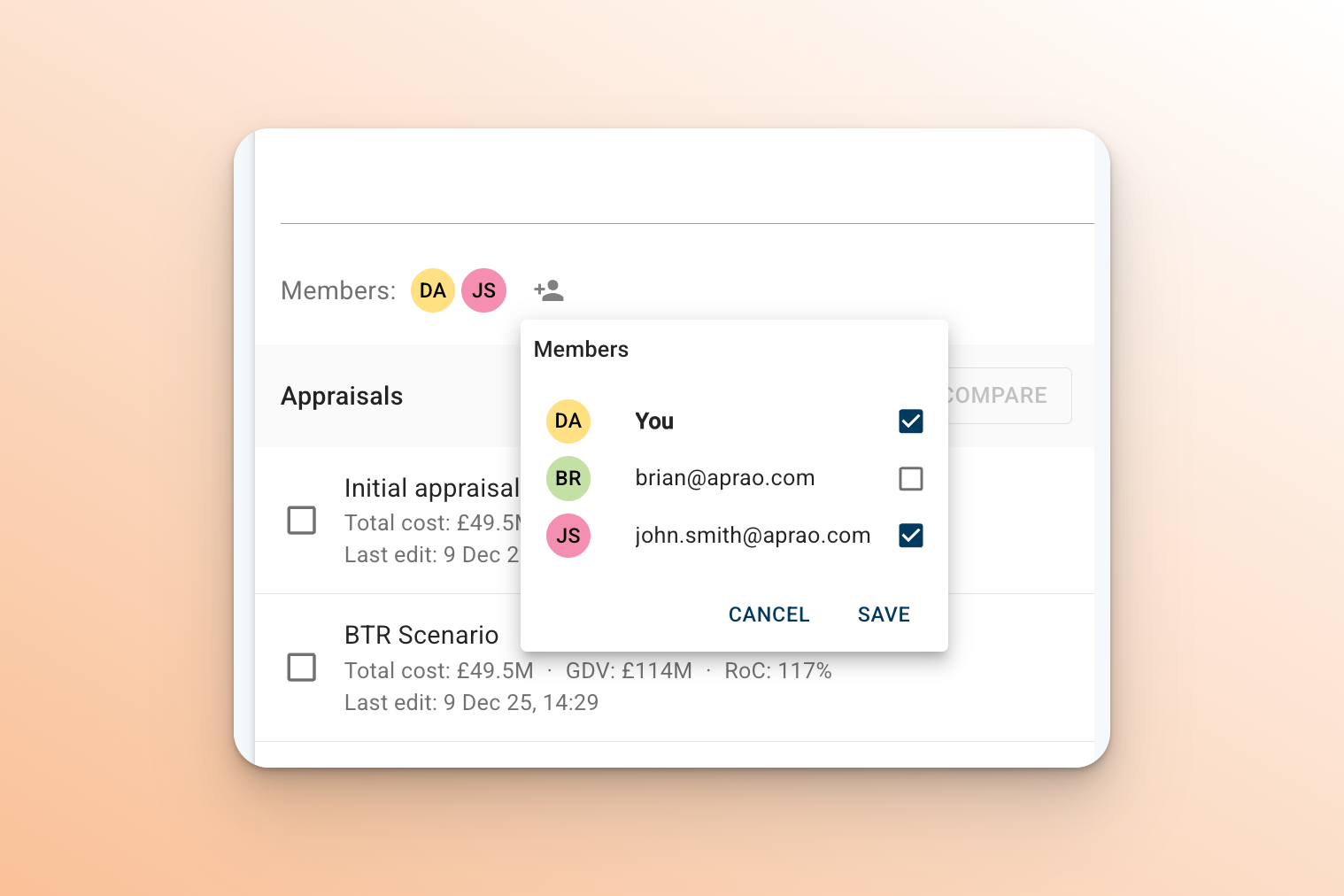
Assign Members to Any Project
You can now add specific users as members of a project.
Think of members as the people responsible — the ones actively involved, reviewing, updating, or progressing the appraisal.
In the demo example, I had my colleague Brian and myself assigned to a project. If I wanted to swap Brian out and bring John onto the project instead, it’s now a single click. The workflow is instant and clean.
New projects automatically include the creator as a member, but you can remove yourself if you’re handing something over or stepping out of the workflow.
Filter Your Project Board by User
Once your projects have members assigned, the real power appears.
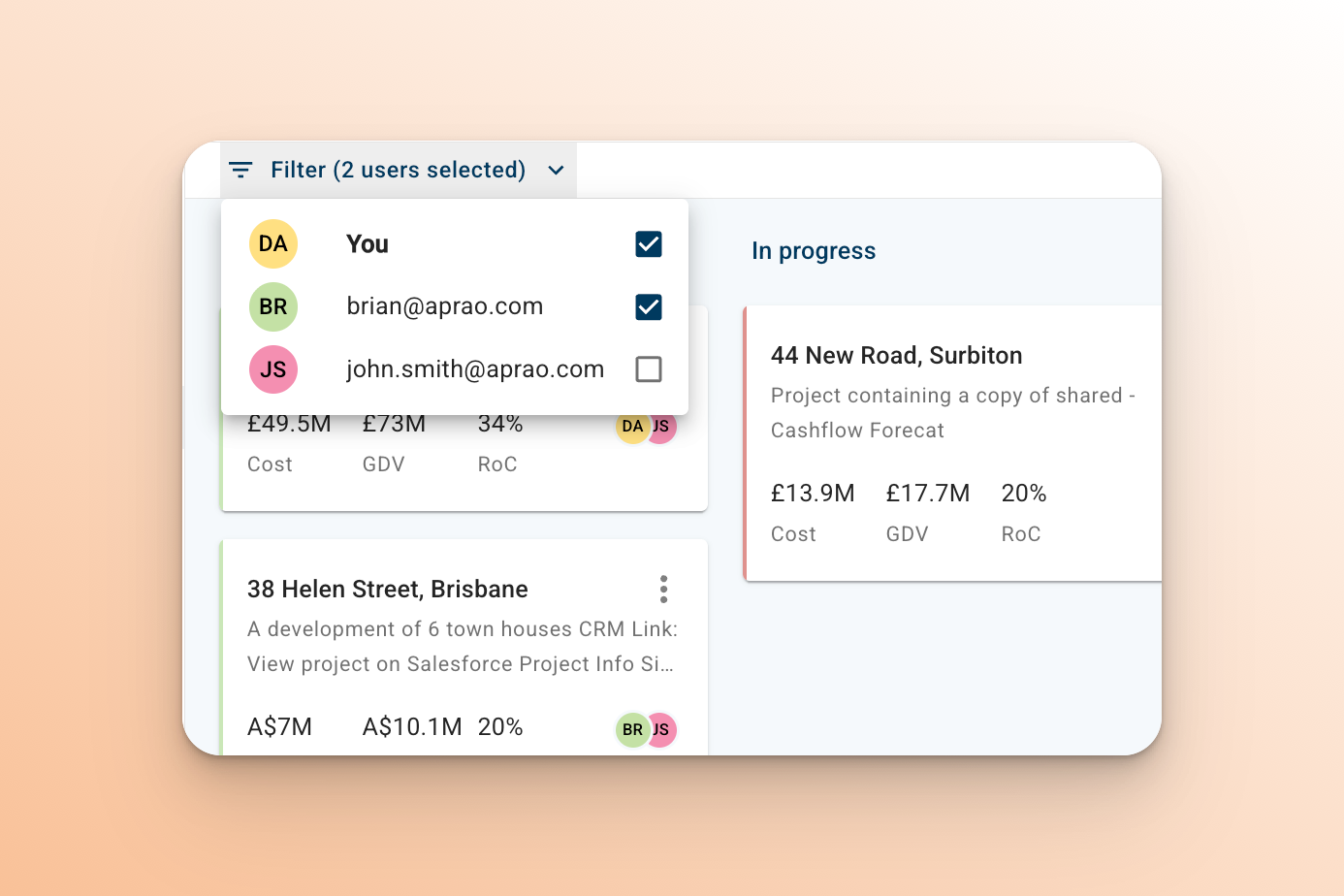
You can now filter your entire board to see:
-
every project a specific team member is working on,
-
your own active portfolio, or
-
everything across the team at a glance.
Click Brian, and all his projects surface instantly.
Click John, and you see only the ones he’s involved in.
Click All, and you return to the full team view.
This level of visibility makes it easier than ever to:
-
manage workload across the team,
-
prepare for handovers and reviews,
-
understand who owns what,
-
reduce duplication, and
-
move faster with confidence.
Why This Matters
Property teams — whether developer, valuation, agency, or consultancy — are increasingly multidisciplinary. A single appraisal may touch finance, planning, commercial, operations, or senior leadership.
Until now, visibility across those moving parts often lived in email threads, spreadsheets, or memory.
This update brings it into Aprao, where it belongs.
By assigning members and filtering by user, you get:
-
clearer accountability,
-
easier collaboration,
-
faster handovers, and
-
a smoother workflow from appraisal to decision.
In a market where execution speed is becoming a competitive advantage, these marginal gains compound.
Available Now
User assignment & board filtering is live for all Aprao customers today.
Log in and try it — it takes less than 30 seconds to set up, and you’ll feel the clarity immediately.
Not a customer yet? You can start a free 14-day trial and explore the update alongside the rest of the platform’s workflow-optimising features.